Enterprise Video That Just Works
Seamless video conferencing, presentation capture, and training content production for corporate environments. Driver-free deployment across meeting rooms with Teams and Zoom compatibility.
Corporate Use Cases
From boardrooms to training centers, professional capture devices elevate corporate communications.
Executive Presentations & Board Meetings
Capture and record boardroom presentations, executive briefings, and stakeholder meetings with professional quality. Perfect for distributed teams and archived minutes.
Training & Onboarding Programs
Create scalable training content once and deploy across the organization. Capture instructor-led sessions, software demonstrations, and compliance training.
Hybrid Meeting Rooms
Enable seamless hybrid meetings where remote and in-office participants collaborate equally. Capture presentation screens, document cameras, and room cameras simultaneously.
Product Demonstrations & Sales
Record product demos, sales presentations, and customer success stories. Share compelling visual content with prospects and internal teams.
Enterprise-Grade Features
Reliable, scalable, and IT-friendly solutions for corporate video needs.
Universal Compatibility
Works instantly with Microsoft Teams, Zoom, Google Meet, Webex, and all major platforms. No driver installation-plug in and join your meeting.
IT-Friendly Deployment
Driver-free UVC/UAC compliance means zero IT overhead. Deploy across hundreds of meeting rooms without software installation or updates.
Multi-Room Scalability
Standardize on reliable hardware across conference rooms, training centers, and remote offices. Volume pricing available for enterprise deployments.
Broadcast-Quality Output
1080p60 or 4K capture ensures crystal-clear presentations and professional recordings. Hardware encoding prevents system slowdowns during critical meetings.
Simple Deployment Process
From procurement to production in minutes-minimal IT overhead, maximum reliability.
Connect Presentation Source
Plug your laptop, document camera, or room system HDMI output into the capture device. Use loop-through for confidence monitors.
Connect to Meeting Room PC
Attach the USB 3.0 cable to your meeting room computer or AV system. Device is instantly recognized by Windows, macOS, and Linux.
Select in Video Conferencing Software
Open Teams, Zoom, or your platform. Select the Magewell device as your camera source-it appears as a standard webcam.
Start Your Meeting
Join your call with professional-quality video from presentations, cameras, or any HDMI source. Record locally if needed.
Recommended for Corporate
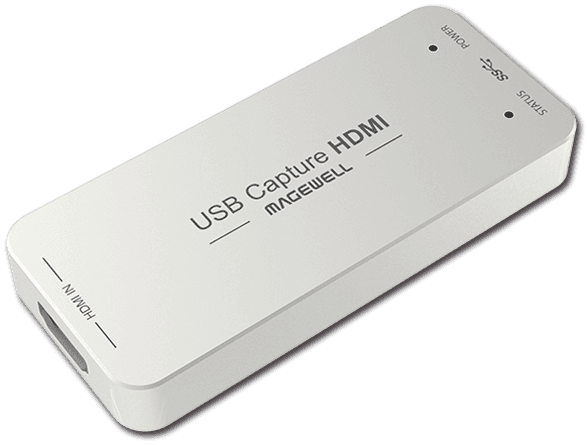
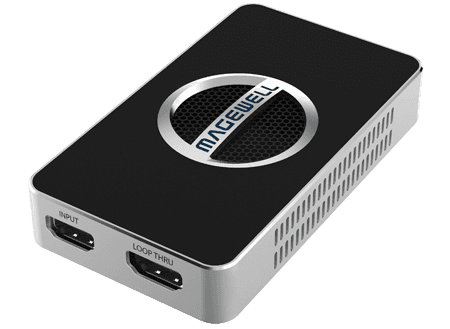
Enterprise-grade capture devices for meeting rooms and training facilities.
Need Enterprise Pricing or Integration Support?
Our team can assist with volume quotes, custom integration, and ongoing support for corporate deployments.