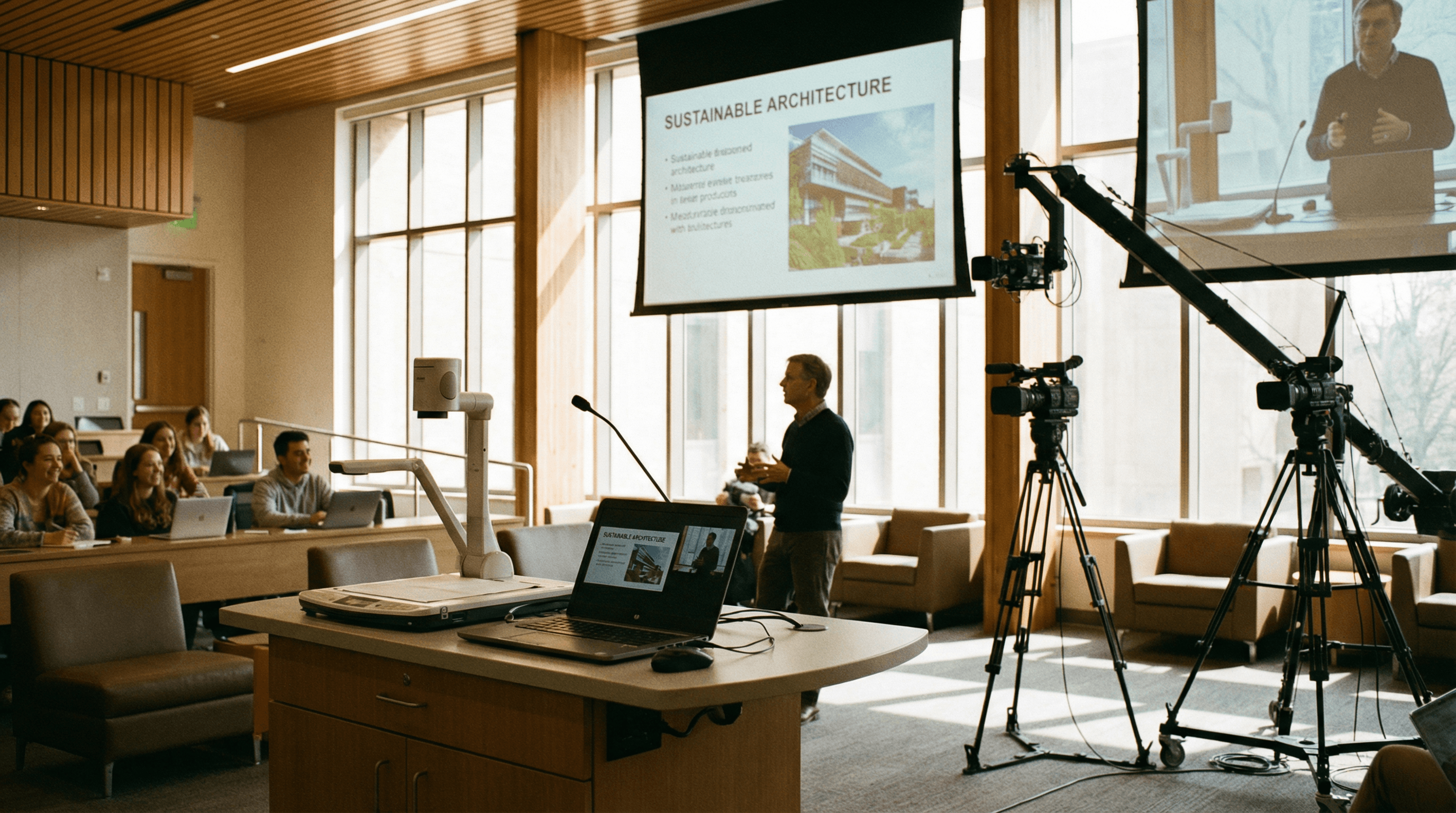
Lecture capture and hybrid learning depend on reliable video from multiple sources: the presenter, the room, and often a document camera or second display. When the tech just works, educators can focus on teaching-and IT can focus on something other than "why isn't the capture device showing up again?" USB capture devices that work without custom drivers simplify deployment and support for everyone.
What Education Needs
Schools and universities need to capture lectures and seminars for students who can't attend in person, and to create reusable learning materials. Typical setups include a main room camera, a feed from the teaching PC or interactive display, and sometimes a document camera or visualiser. Each source can be connected via HDMI to a USB capture device, then fed into lecture-capture software or streaming platforms. The beauty of the one-device-per-source approach is that you're not fighting with a single card that has to do everything-each feed is independent, so a fault on one doesn't take down the rest.
- Lecture recording – Single or multi-source capture into your chosen software. Panopto, Kaltura, Echo360, or your VLE's built-in tools: if it accepts a camera, it'll accept a Magewell.
- Document cameras – Many visualisers output HDMI; capture them with a dedicated USB device for a clean, separate stream. No more "laptop camera pointed at the doc cam" workarounds.
- Hybrid classrooms – Send a clear room feed to remote participants via Zoom, Teams, or your VLE. One device for the room, one for content-remote students get the same view as the back row.
Why USB Capture Fits Education
USB capture avoids the cost and complexity of full broadcast cards in every room. Devices like the USB Capture HDMI Gen 2 are plug-and-play, so they can be moved between rooms or replaced quickly when a room is repurposed. For institutions rolling out hybrid learning at scale, that flexibility and reliability are essential-and driver-free means one less thing to break when Windows Update runs. IT can image a room PC once and add capture devices as needed without touching the image again.
Multi-room rollouts benefit from standardisation: same device everywhere, same behaviour, same support story. When a lecturer reports "no picture from the doc cam," the fix is the same in Room 101 and Room 405. That consistency saves time and reduces training overhead for both AV and teaching staff.
Practical Setup: Room Layout and Sources
A typical lecture room might have a fixed room camera (HDMI from the camera or via a small controller), a teaching PC or interactive display output, and a document camera. Three sources, three USB capture devices, one room PC. The lecture-capture or conferencing software sees three cameras and can record or stream them in any layout. If the room is upgraded with an extra camera or a second display, you add another Magewell-no need to replace the whole capture stack.
Next Steps
Explore our Education & Classroom application page for more use cases, or browse USB Capture products. For bulk orders and education pricing, contact us with your requirements-we're used to working with universities and schools across the UK and EU.