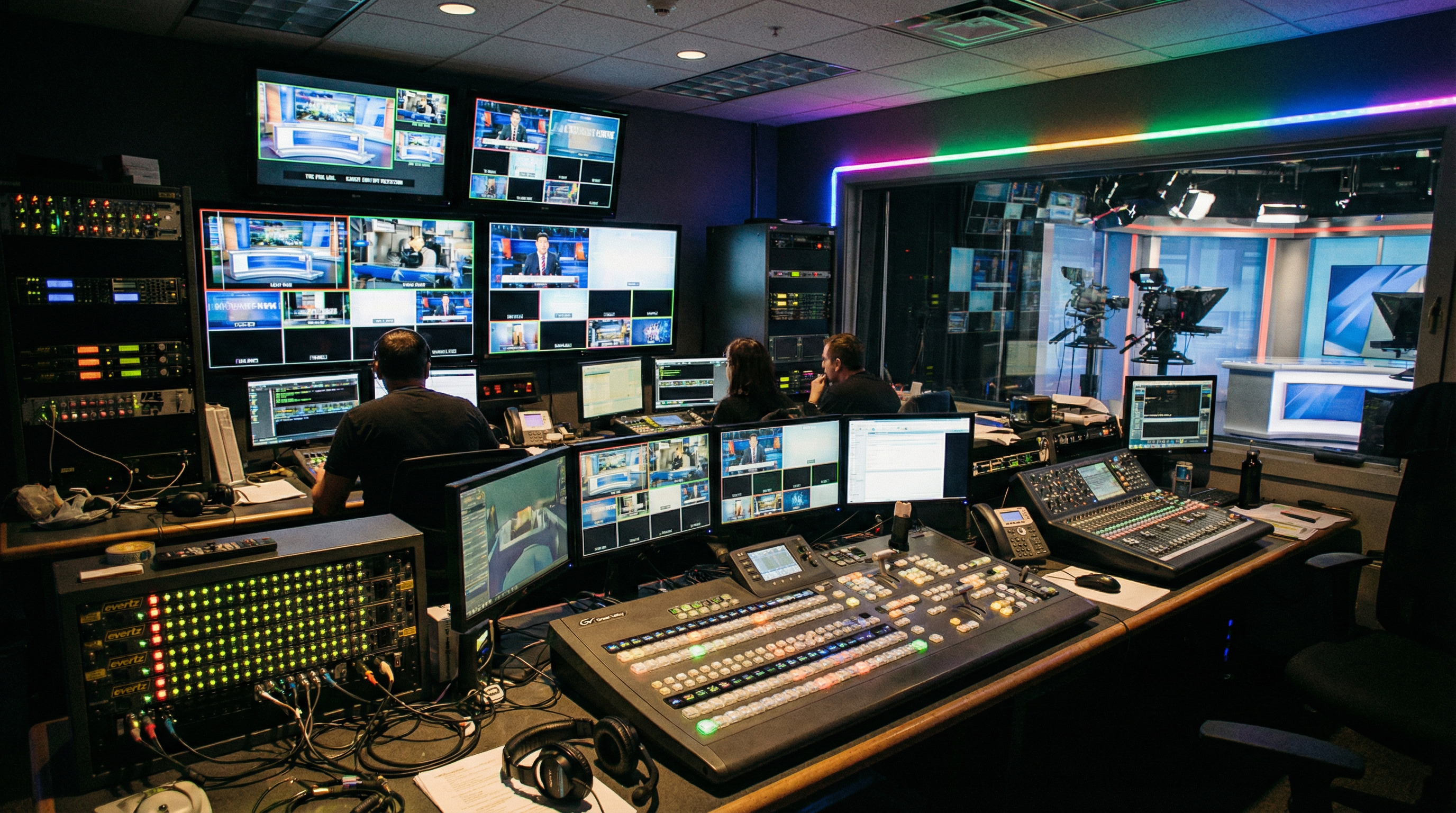
Live sport streaming has gone from broadcast-only to something a local football club can run on a laptop. The hardware has matured, the platforms have simplified, and the audience expectations have risen to match. Whether you are streaming under-18s fixtures for parents who cannot make it or running a four-camera OB production for a regional rugby broadcast, the capture hardware questions are the same: HDMI or SDI, how many cameras, and how much latency can you tolerate.
Grassroots clubs and schools
The typical grassroots setup is one camera, one laptop, one stream. A mid-range HDMI camera — a camcorder or a PTZ unit on a tripod — feeds into a USB Capture HDMI Gen 2, which appears in OBS or Streamlabs as a standard webcam. Configure your stream key for YouTube Live or Facebook Live, press go, and you are broadcasting. No external mixer, no vision switcher, no dedicated encoding PC required.
The reason to use a proper capture device rather than a webcam or a cheap dongle is reliability. A four-hour football match is a long time to trust a £20 capture card. Dropped frames at the 89th minute because USB bandwidth spiked during a save file are not acceptable. Magewell's FPGA processing handles all format conversion in hardware; the laptop CPU is left entirely free for encoding and streaming. The stream stays stable for the full duration regardless of what the computer is doing.
For a step up — two cameras covering opposite ends of the pitch — add a second HDMI Gen 2 on a different USB controller. See our multi-camera setup guide for the USB controller detail that matters at this point.
HDMI or SDI for sports
HDMI is the right choice when cameras are within 15 metres of the capture point, connections do not need to survive repeated plug-and-unplug cycles in a wet environment, and budget is a constraint. Consumer and prosumer camcorders, mirrorless cameras with clean HDMI out, and PTZ cameras with HDMI all work perfectly with the HDMI Gen 2 or HDMI Plus.
SDI is the right choice for permanent or semi-permanent pitchside installations, longer cable runs, and broadcast-grade cameras. SDI's locking BNC connectors will not accidentally pull out when a cable gets kicked. The signal tolerates runs of 150 metres for 3G-SDI — far enough to reach a control room from the far end of a pitch. And SDI cameras designed for broadcast output a clean, stable signal that needs no additional processing before capture.
The USB Capture SDI Gen 2 handles SD, HD, and 3G-SDI with an active loop-through so the director's monitor stays connected. For 4K SDI broadcast cameras, the USB Capture SDI 4K Plus takes 6G-SDI at 4K30. For full 12G-SDI at 4K60 — the top end of OB production — the USB Capture SDI 4K Pro is the device.
Multi-camera sport production
A three or four-camera sports production — main wide, close-up on goal, commentary position, and a reverse — typically uses a mix of SDI for the pitch cameras and HDMI for the commentary desk feed. The USB Capture AIO handles both on a single device, which is useful when the commentary position is close to the production laptop and you want to reduce cable count.
For fixed stadium installations where the production PC is in a control room, a PCIe capture card is the more reliable path than multiple USB devices. The Pro Capture Quad SDI puts four independent SDI channels on a single card, each with cable equalisation for long pitchside runs. This is what broadcast facilities and production companies use when they need ingest to be rock solid over a full season, not just one match.
Latency in multi-camera sport production matters for commentary sync and replay. Magewell PCIe cards offer a dedicated ultra-low latency mode that reduces processing delay to 64 video lines — imperceptible when cutting between angles. USB capture adds approximately 80ms, acceptable for most workflows but worth knowing if your replay or graphics system expects frame-accurate alignment.
Encoding and streaming platforms
OBS Studio is the standard encoder for grassroots and semi-professional sport streaming. It handles multi-camera input, scene switching, graphics overlays (scoreboards, lower thirds, competition branding), and simultaneous recording for post-event highlights. Configure the stream output to your platform of choice — YouTube Live, Facebook Live, and Twitch all accept standard RTMP. For multi-platform delivery, OBS Multistream or a separate tool like Restream.io can push to multiple platforms from one encode.
For larger productions, vMix offers purpose-built sports features including instant replay, statistics overlays, and better multi-camera management at scale. It integrates with Magewell devices identically to OBS — each capture device appears as a standard camera input. The vMix and OBS integration guide covers the setup in detail.
Bitrate matters more for sport than most content types. Fast motion — a ball moving across the frame, a sprint, a tackle — compresses poorly at low bitrates and produces visible blocking. Aim for a minimum of 6 Mbps for 1080p sport, ideally 8–10 Mbps. If your upload bandwidth is limited, 720p60 at 6 Mbps will look better than 1080p30 at the same bitrate for fast-moving content.
Recommended hardware by production scale
Single-camera grassroots club: USB Capture HDMI Gen 2 (£231.05 ex VAT). Add a HDMI Plus (£287 ex VAT) if the camera position needs a local monitor feed.
2–3 camera community sport: Multiple HDMI Gen 2 devices for HDMI cameras; swap for SDI Gen 2 (£233.33 ex VAT) where cameras have SDI output and long cable runs are needed.
Fixed stadium or 4-camera SDI production: Pro Capture Quad SDI PCIe card (£599 ex VAT) for a dedicated production PC, or individual USB SDI devices for a portable rig.
4K broadcast OB: USB Capture SDI 4K Pro (£441.67 ex VAT) for 12G-SDI 4K60 from top-end broadcast cameras.
StreamKit is an authorised UK Magewell reseller with all devices in stock. UK delivery £9.99 ex VAT, 3-year warranty on all hardware. Contact us if you need help specifying a multi-camera sport production — we have configured setups at every scale from school pitches to county grounds.